Home / AI Visualizer
See it finished before we start
Pick a space and a starting look, make every choice your own, then send a short form and see an AI concept of it right here.
- 130looks to start from
- 13project types
- 120M+design combinations

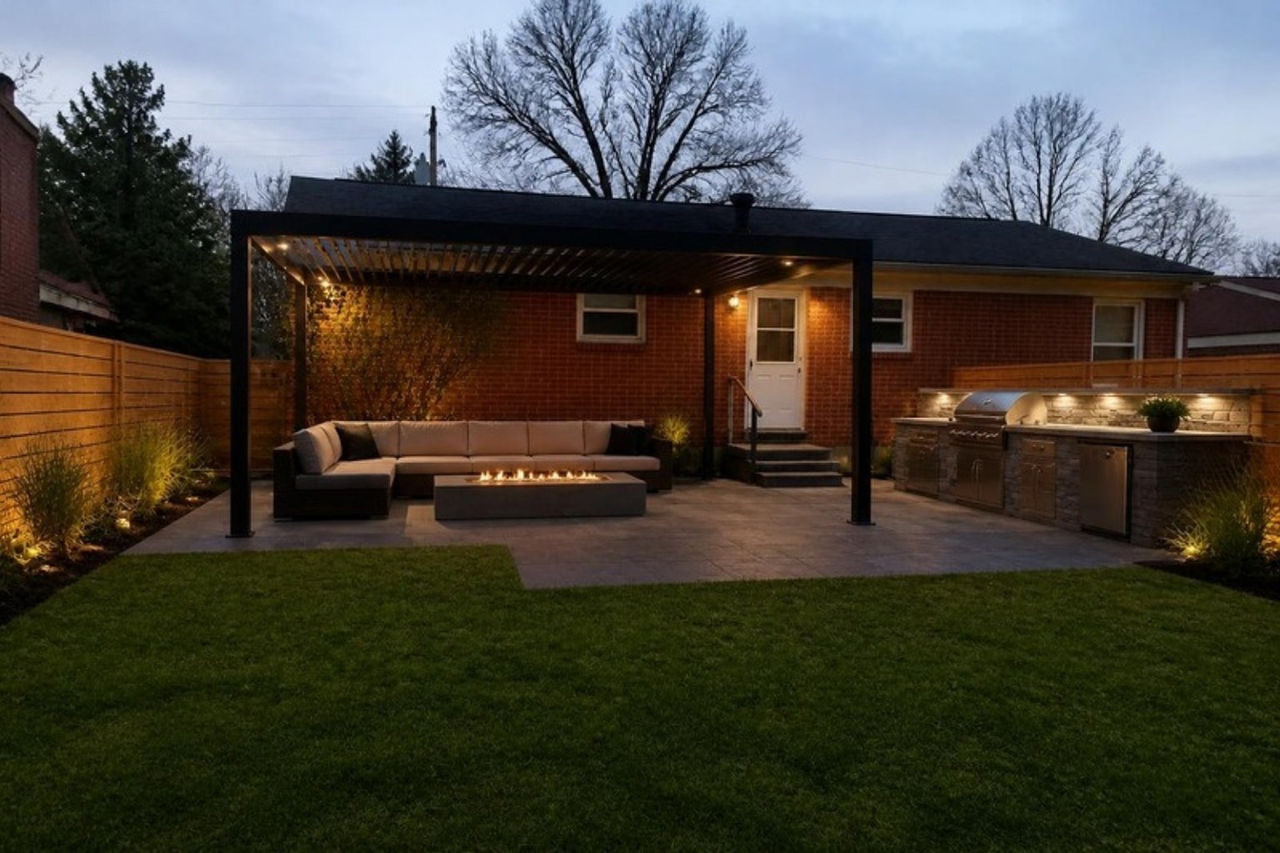
- Patio surfaceConcrete pavers
- Layered outdoor lighting
- Outdoor kitchen
- Planting beds
- Privacy screen
The original photo and the AI example made from it for this look. Drag the line to compare.
- Step 1, Space
- Step 2, Look
- Step 3, Choices
- Step 4, Send
What are you planning?
Pick the space you want to change. You can also search, or start from a goal.
How the visualizer works
Pick a space and a look
Every one of the 130 looks shows its finished AI concept, so you can see the result before you decide.
Change anything (optional)
Swap any choice. Everything you pick is drawn into your picture together. Work a picture can’t show, like a heated floor, goes in your estimate and is marked “not in the picture”.
Send and see
Add a photo if you like, and mark the part you want changed with the pen. Then send the short form. Your concept appears on the page, usually within a few minutes. With a photo, it’s your own photo with every choice built in, and you slide between before and after. You can change choices, or use a new photo, and redraw it.
About concepts and examples. Concepts are made with AI to show a direction. They are not construction plans, and AI can get small details wrong. Your final design, materials and price are set after we visit and measure. An example photo appears only with the look it shows, and only while your choices still match it. AI concepts and example images are illustrations, not photos of your home or of Ellis projects.
Planning a patio, deck or other outdoor project? You can also lay it out in the 3D design studio.